Audio visualizerАудиовизуализатор

SEVAN

Your song becomes a visualization in any DAW.
Ваша песня станет визуализацией в любой DAW.

Drop SEVAN last on the master bus. It reads the whole mix and turns it into living light — nebulae, 3D spectrum terrain, particles that spell your words. Then it renders the picture frame-by-frame into an MP4 with the sound, up to 4K. No screen capture, no dropped frames — the same on any GPU.

Поставьте SEVAN последним на мастер-шину. Он слышит весь микс и превращает его в живой свет — туманности, 3D-рельеф спектра, частицы, которые складываются в ваши слова. А потом кадр за кадром рендерит картинку в MP4 со звуком, вплоть до 4K. Без захвата экрана и пропущенных кадров — одинаково на любой видеокарте.

Free modeVST3, AU, AAX and appmacOS 10.13+ and Windows 10/11up to 4K62 presets
Бесплатный режимVST3, AU, AAX и приложениеmacOS 10.13+ и Windows 10/11до 4K62 пресета
SEVAN: a music visualizer with video layers, synchronized lyrics and a layer editor
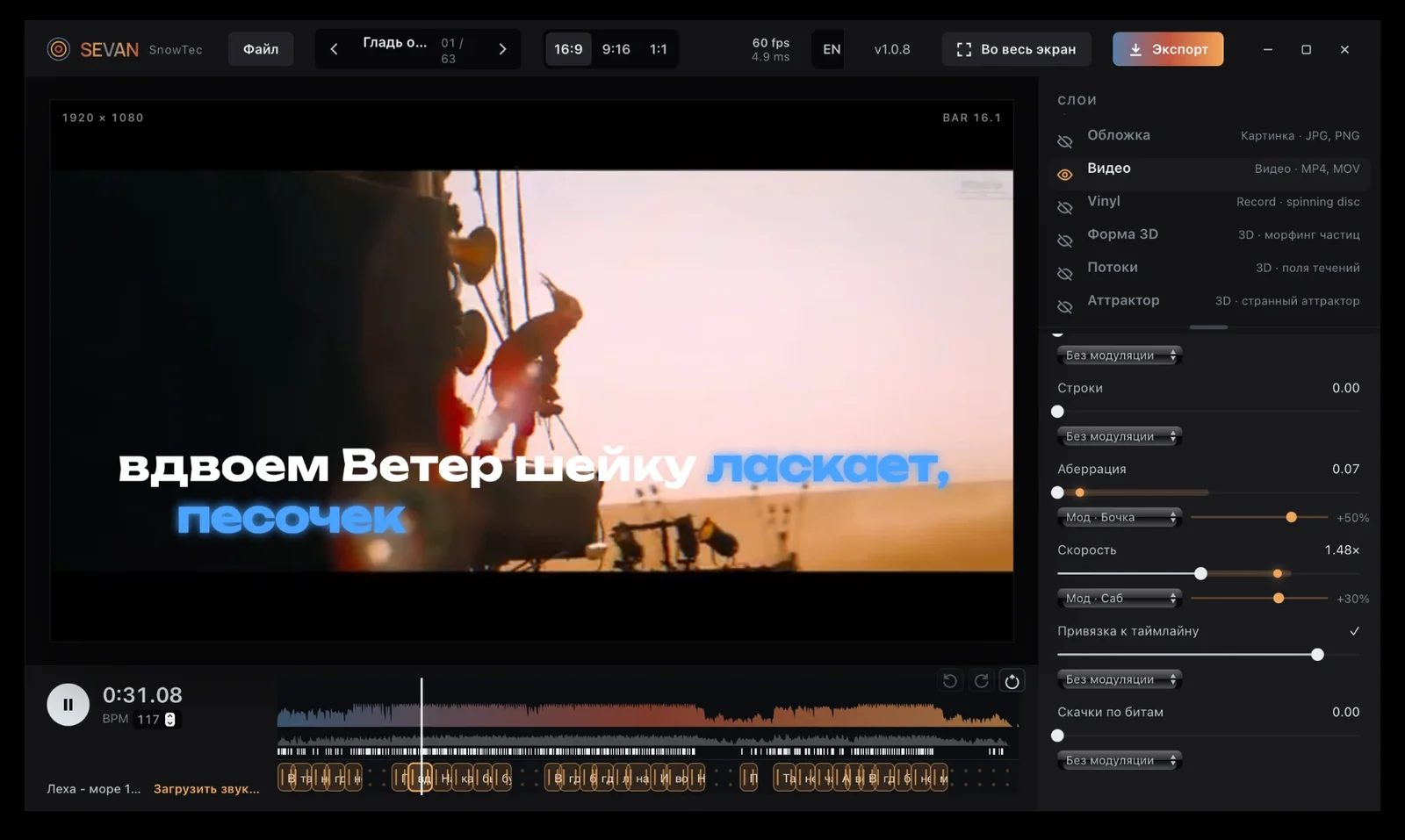
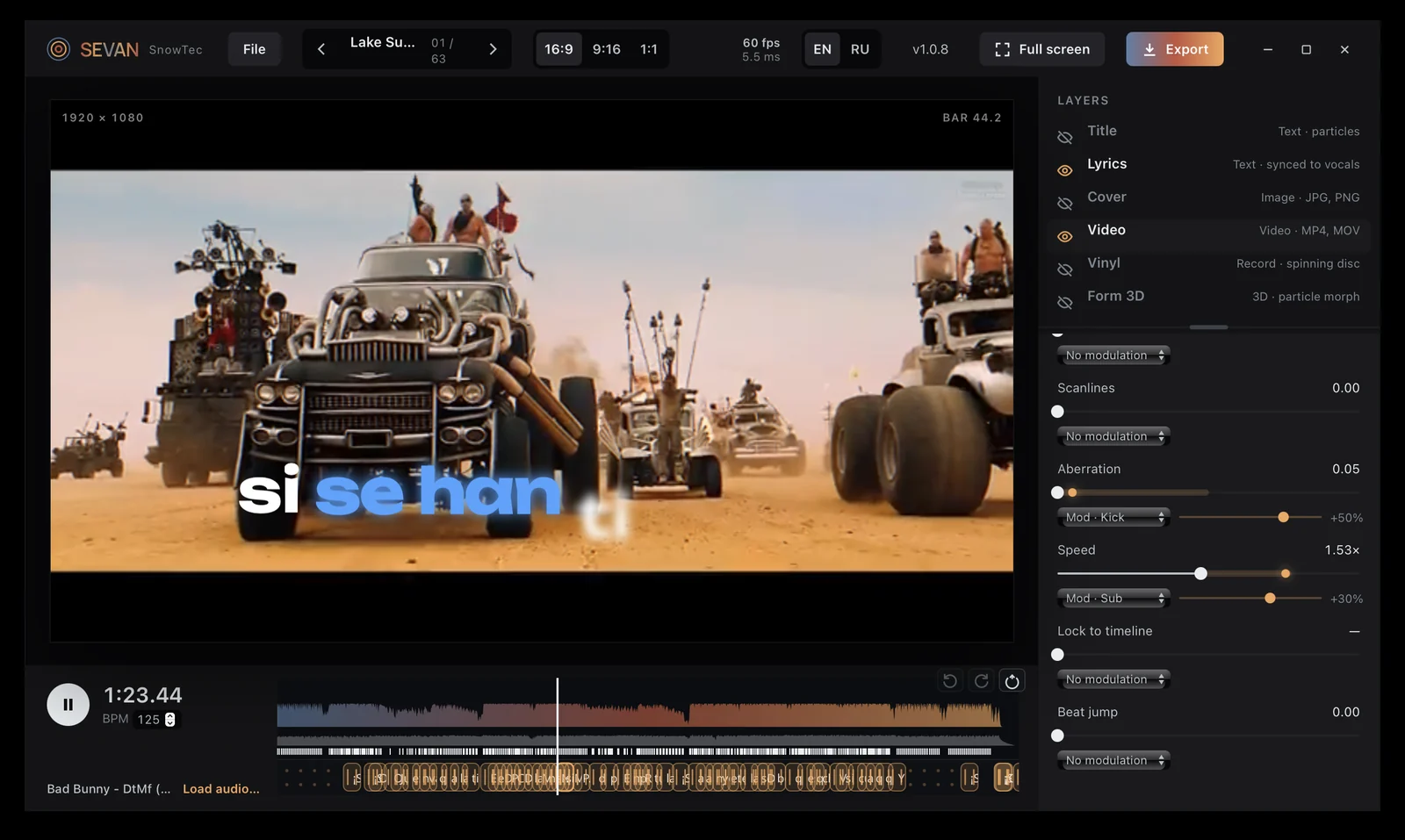
SnowTec SEVAN 1.0.9 interface: a 16:9 frame with your own video, lyrics synced to the vocal on top, the layers list on the right (Title, Lyrics, Cover, Video, Vinyl, Form 3D) and the video layer settings with filters and full-frame mode

Визуализаторы вроде ZGameEditor живут только внутри одной программы. SEVAN работает в Logic, Cubase, FL Studio, Ableton, Reaper, Studio One и Bitwig — как обычный плагин на мастере — и отдельным приложением на компьютере. Он не записывает экран: когда вы делаете экспорт звука, SEVAN считает каждый кадр из самого звука и собирает готовый MP4 со звуком. То, что вы видите вживую, и то, что окажется в файле, — одно и то же.

Visualizers like ZGameEditor live only inside one program. SEVAN runs in Logic, Cubase, FL Studio, Ableton, Reaper, Studio One and Bitwig — as an ordinary plug-in on the master — and as a standalone app on your computer. It does not capture the screen: when you export audio, SEVAN computes every frame from the sound itself and builds a finished MP4 with audio. What you see live and what lands in the file are one and the same.

Последним в цепи

Last in the chain

Место SEVAN — в самом конце мастер-шины, после всей обработки. Он слышит готовый микс целиком: полосы спектра, удары, стерео, темп и позицию в такте берутся от хоста. Картинка движется от звука, а не от таймера, поэтому экспорт повторяем до кадра — хоть сто раз подряд, результат один.

SEVAN belongs at the very end of the master bus, after all processing. It hears the finished mix as a whole: spectrum bands, transients, stereo, tempo and bar position come from the host. The picture moves from the sound, not from a timer, so the export is repeatable to the frame — run it a hundred times and the result is identical.

Слои

Layers

Картинка собирается из слоёв, как в графическом редакторе: включаете нужные, двигаете их параметры, вешаете модуляцию от полос и ударов. Сверху — оптика: свечение, боке, лёгкий хроматизм.

The picture is built from layers, like in a graphics editor: switch on the ones you need, move their parameters, map modulation from bands and hits. On top sits the optics: bloom, bokeh, a touch of chromatic aberration.

BACKGROUNDозеро-жидкость, туманности, полёт, северное сияние, ретро-сеткаliquid lake, nebulae, flight, northern lights, retro grid
SPECTRUMполярное кольцо, неоновая линия, соты — спектр как формаpolar halo, neon line, hex cells — spectrum as shape
3Dморфинг частиц, curl-потоки, странные аттракторы, рельеф-эквалайзер, разлом сферыparticle morph, curl fields, strange attractors, spectrum terrain, shattering sphere
TEXTнадпись и текст песни из частиц, в пяти письменностяхtitle and lyrics made of particles, in five scripts
ORNAMENTмотивы Армении и Грузии: аревахач, хачкар, борджгалиArmenian and Georgian motifs: arevakhach, khachkar, borjgali

62 пресета — от спокойной глади озера до неонового города, разлома и морфинга. Каждый перебирается стрелками прямо в шапке; свои сохраняются рядом.

62 presets — from a calm lake to a neon city, a fracture, a morph. Step through them with the arrows in the header; your own save alongside.

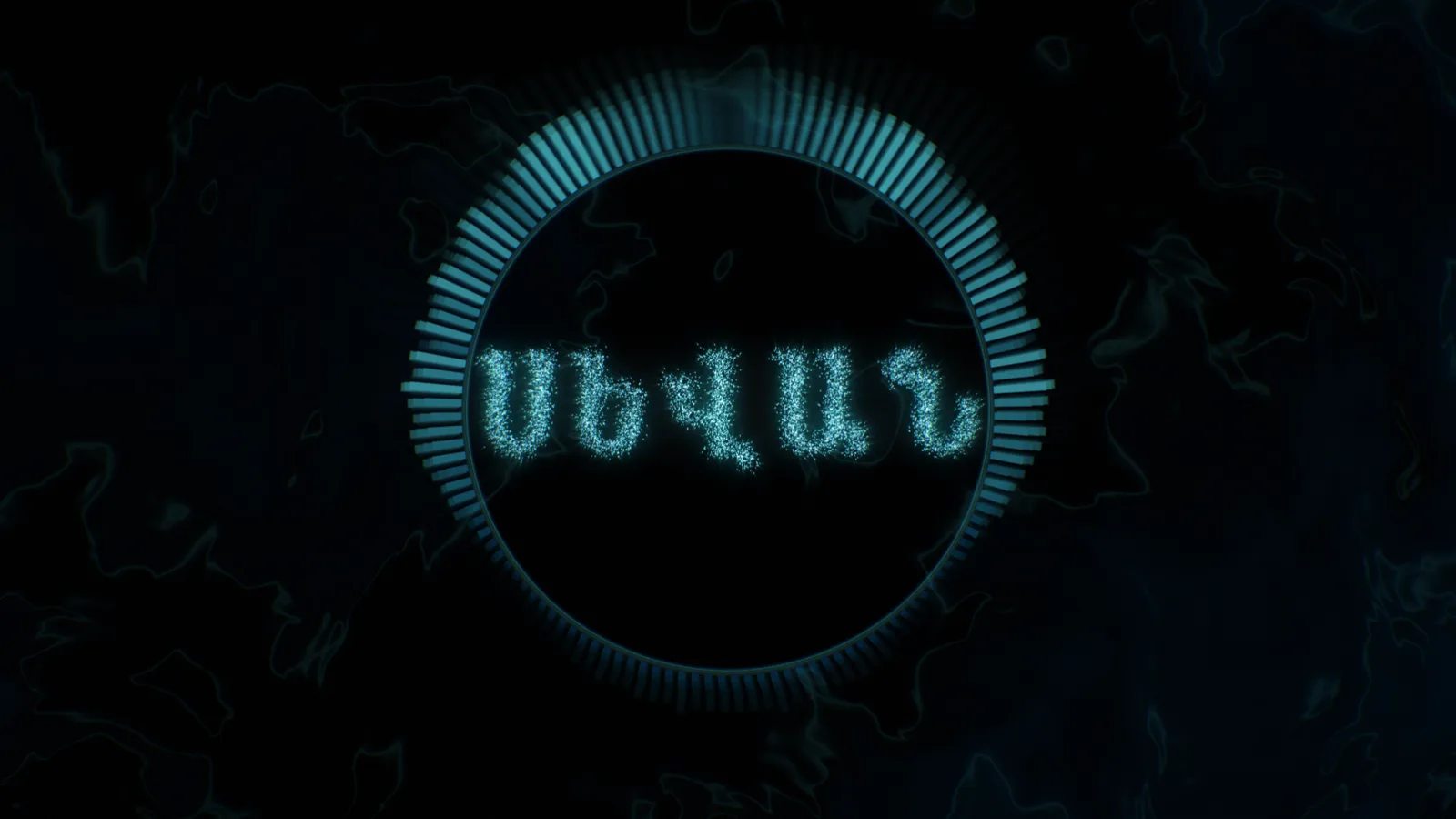
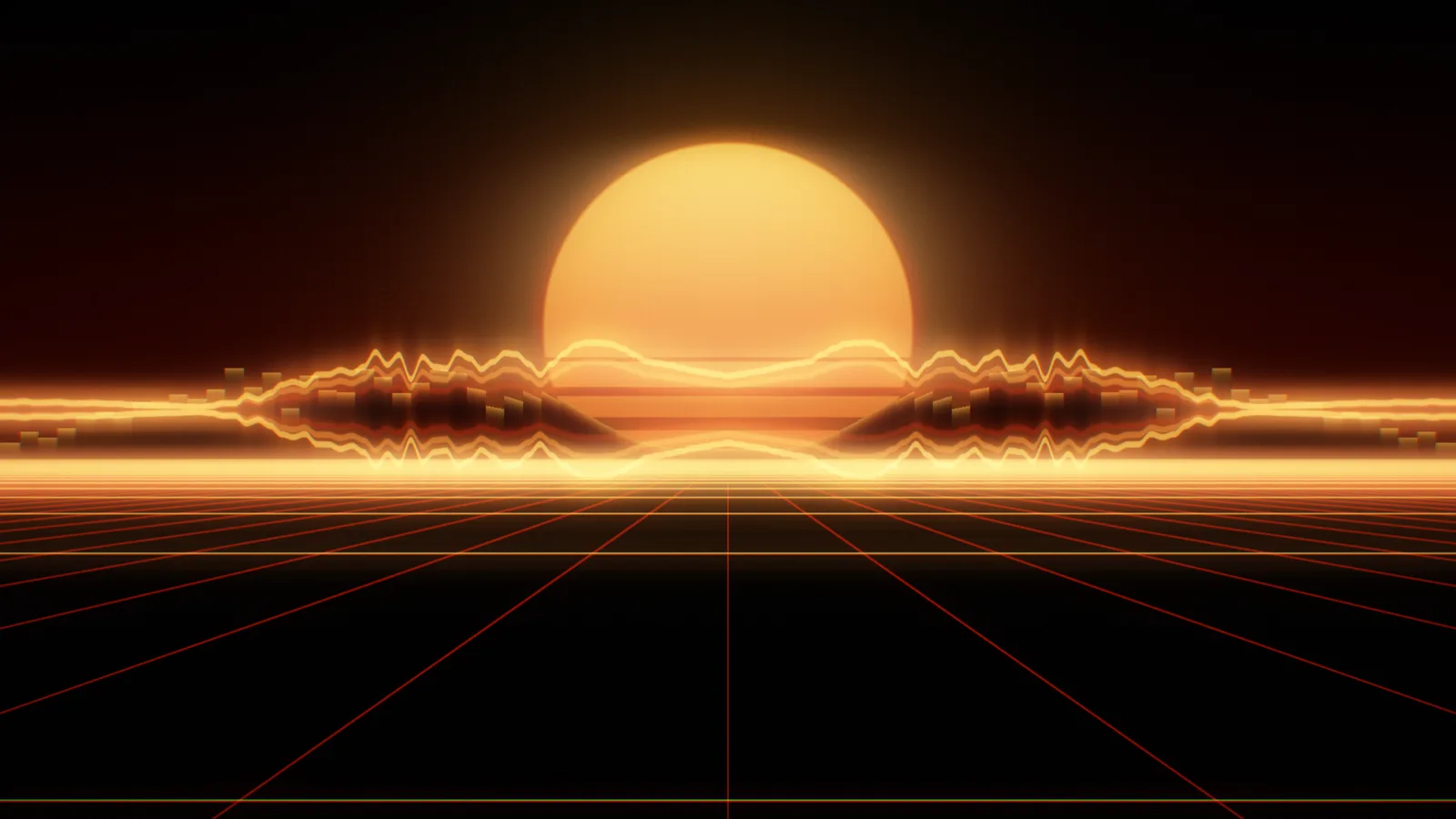
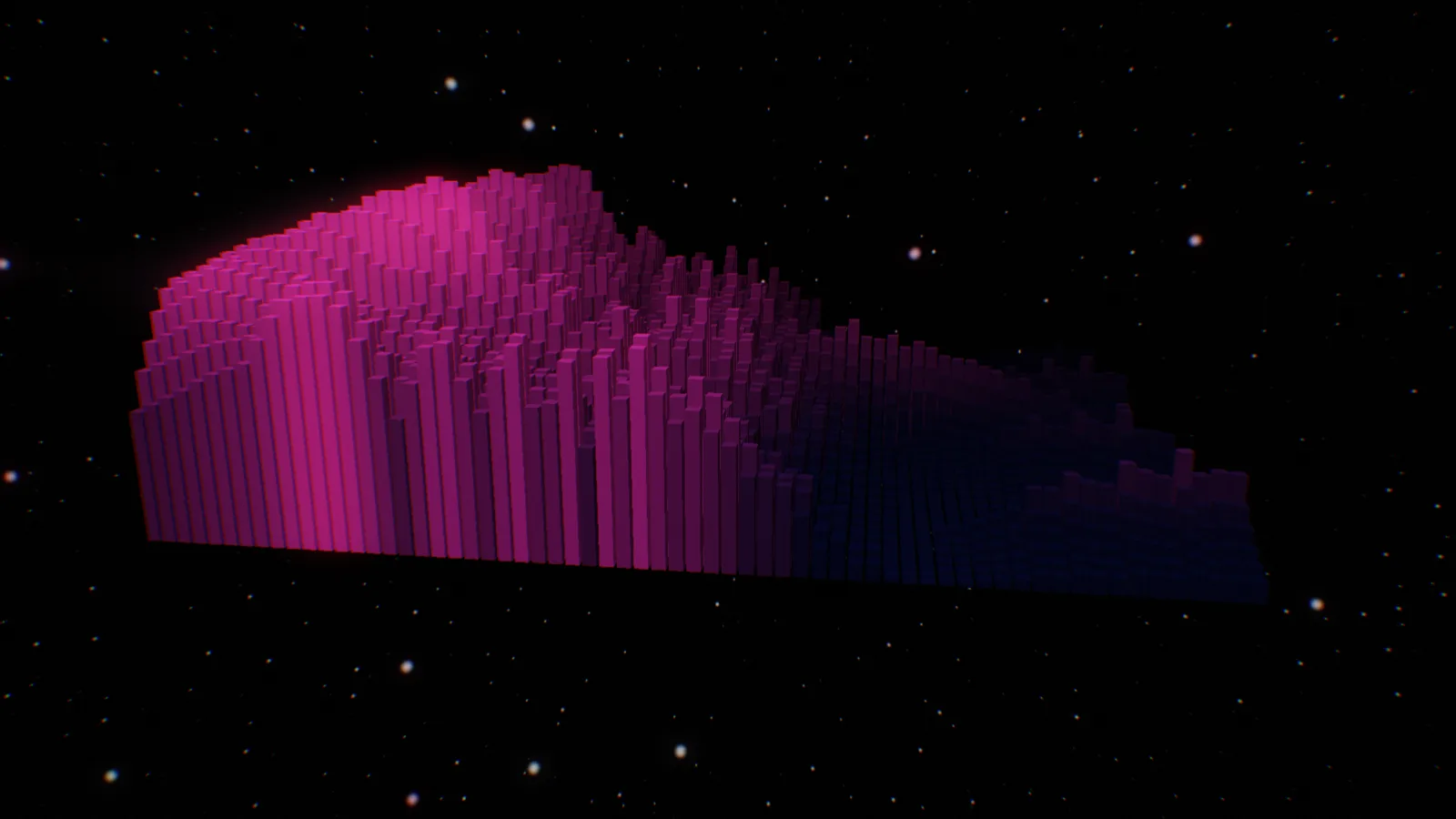
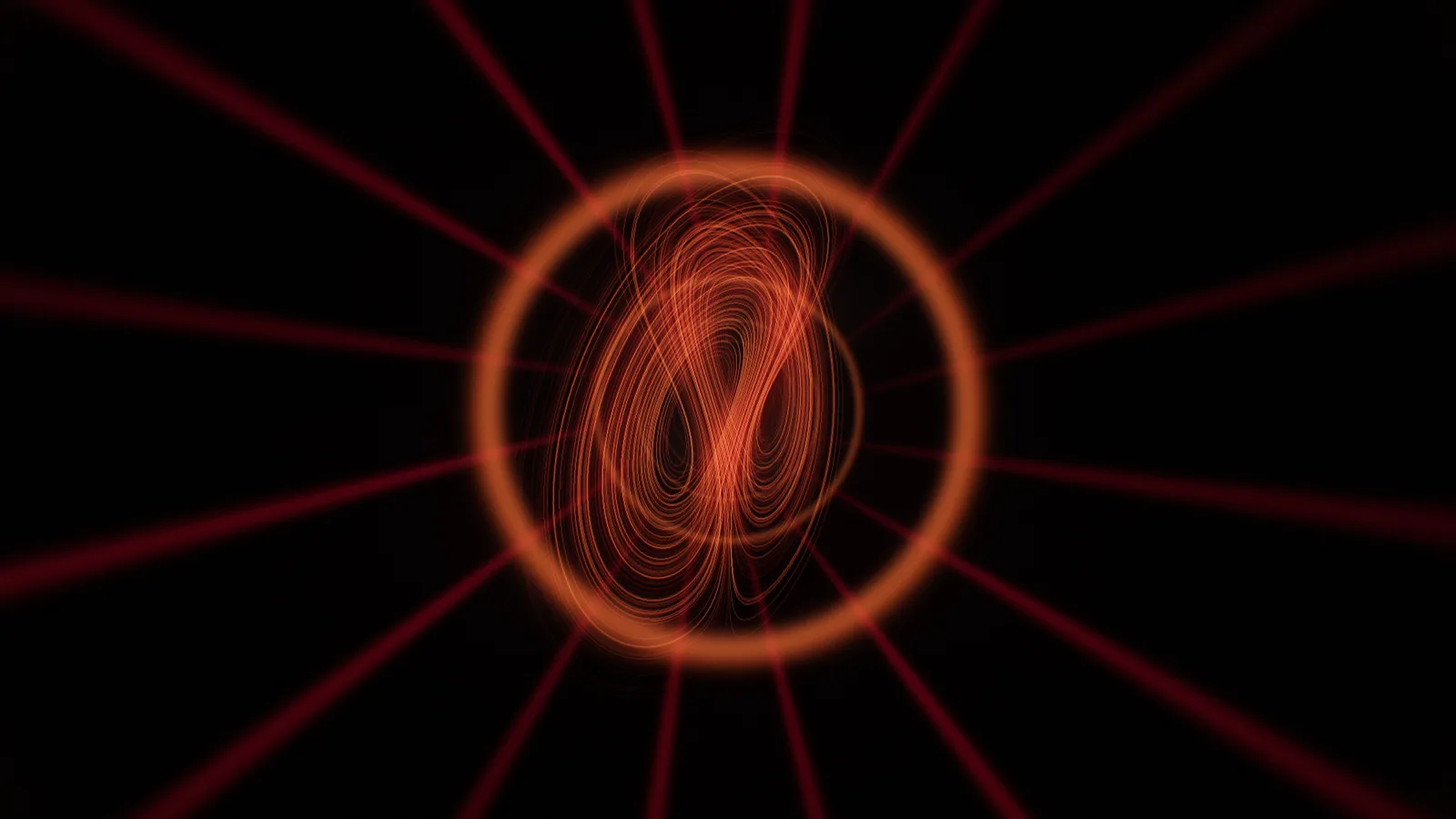
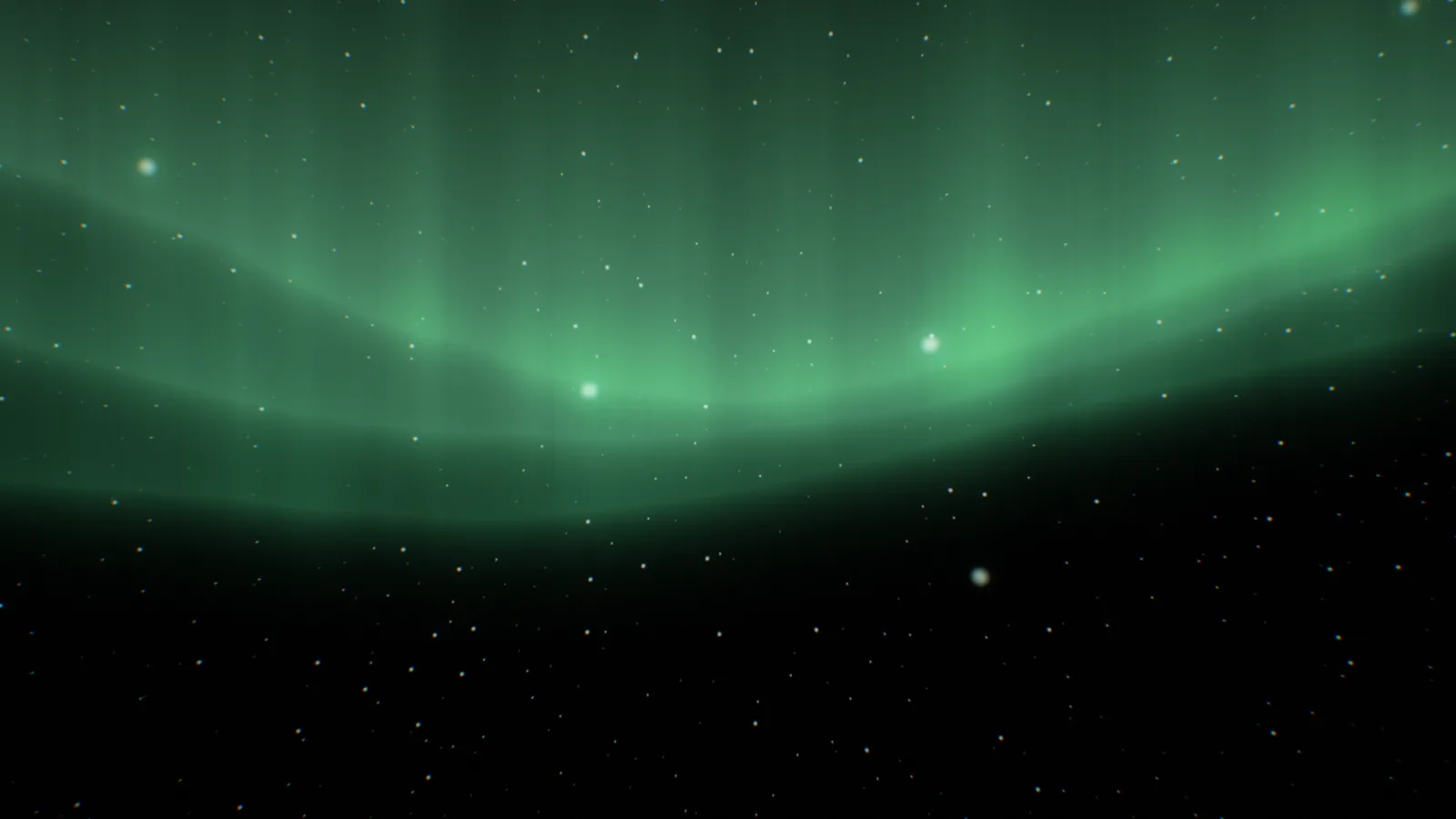
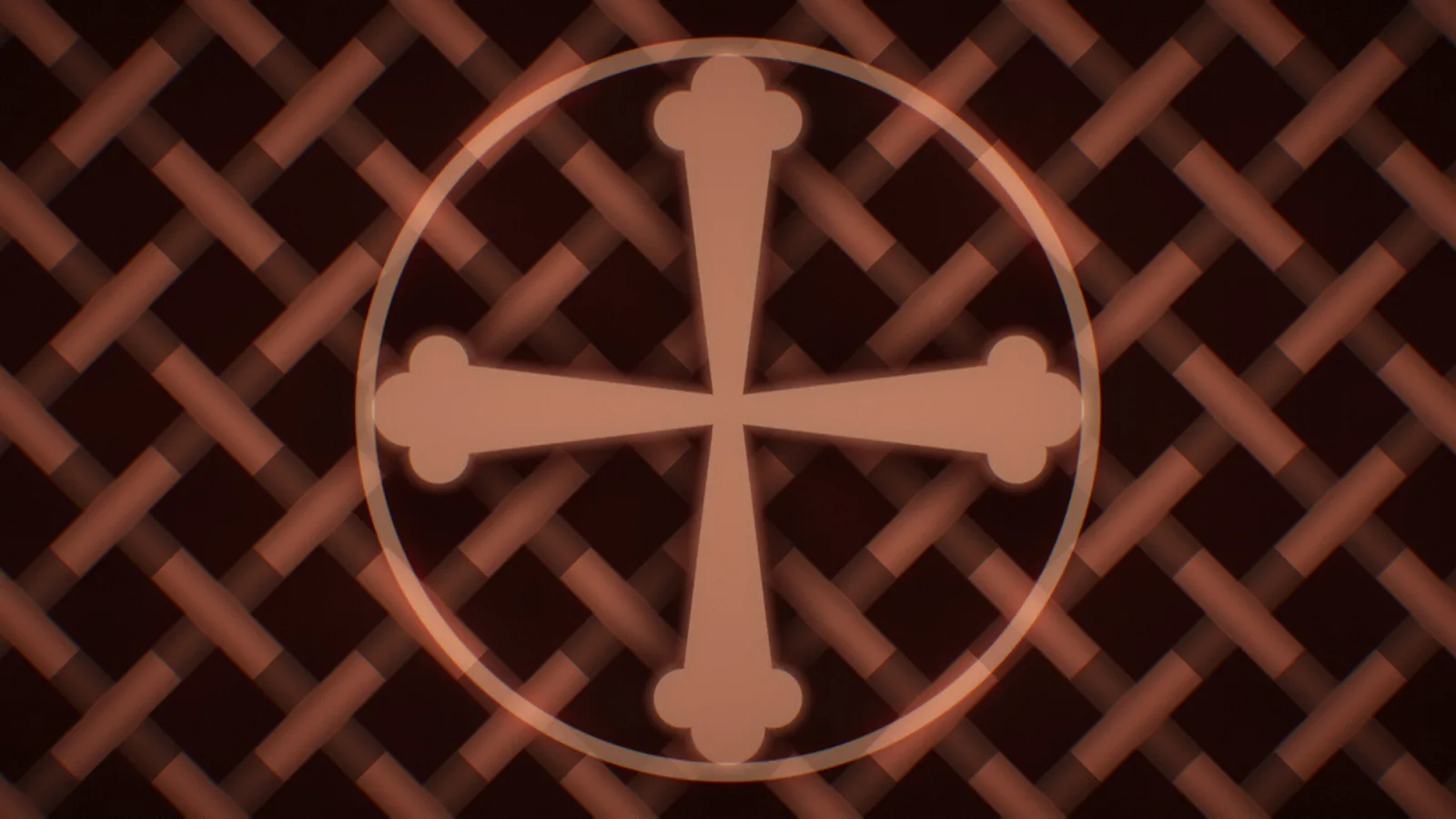
SEVAN Lake Surface preset: a ring spectrum and particle lettering over dark water SEVAN Outrun preset: retro grid, sun and a spectrum on the horizon SEVAN Neon City preset: a three-dimensional spectrum of neon blocks SEVAN Lorenz Tunnel preset: a red attractor inside a ring spectrum SEVAN Northern Lights preset: green aurora over a starry sky SEVAN Khachkar preset: an Armenian cross-stone ornament Гладь озера
Шесть из 62 пресетов — каждый живёт от звука в реальном времени.
Six of the 62 presets — each one lives off the sound in real time.

Текст песни

Lyrics

Отдельный слой выводит слова песни и подсвечивает их в такт голосу. Вставьте текст — SEVAN распознаёт вокал и сам расставляет слова по времени; или принесите готовый .lrc. Распознавание работает на 17 языках, а буквы складываются из частиц в пяти письменностях: латиница, кириллица, армянская, грузинская и арабская (справа налево, со связным письмом).

A dedicated layer shows the song’s words and lights them up in time with the voice. Paste the lyrics and SEVAN recognises the vocal and places the words in time by itself; or bring a ready .lrc. Recognition works in 17 languages, and the letters form from particles in five scripts: Latin, Cyrillic, Armenian, Georgian and Arabic (right-to-left, with joined letters).

Слова встают из частиц в такт голосу — распознано автоматически.
Words form from particles in time with the voice — recognised automatically.

Файл, картинку-обложку, .txt или .lrc можно просто бросить в окно плагина.

A track, a cover image, a .txt or .lrc — just drop it onto the plug-in window.

Экспорт

Export

Не захват экрана, а офлайн-рендер кадр в кадр.

Not a screen grab, but a frame-accurate offline render.

Из DAW и из приложения

From the DAW and the app

В DAW просто сделайте экспорт звука — SEVAN соберёт видео сам, без «Create Video». В отдельном приложении загрузите трек и нажмите рендер. На выходе — MP4 с вашим звуком.

In a DAW just export the audio — SEVAN builds the video itself, no “Create Video”. In the standalone app load a track and hit render. The output is an MP4 with your sound.

До 4K, 16:9, 9:16 и 1:1

Up to 4K, 16:9, 9:16 and 1:1

Выбираете формат кадра, разрешение, частоту и имя файла. В 9:16 картинка не обрезается — геометрия меряется по короткой стороне, поэтому вертикаль для рилсов выглядит так же цельно, как ширина.

Pick the aspect, resolution, frame rate and file name. In 9:16 the picture is not cropped — geometry is measured by the short side, so a vertical for reels reads as whole as the wide one.

Кадр в кадр

Frame for frame

Каждый кадр рисуется из самого звука, время привязано к сэмплам. Ни одного пропущенного кадра и никакой зависимости от мощности видеокарты — файл детерминирован.

Every frame is drawn from the audio itself, time locked to samples. No dropped frames and no dependence on GPU power — the file is deterministic.

Окно

The window

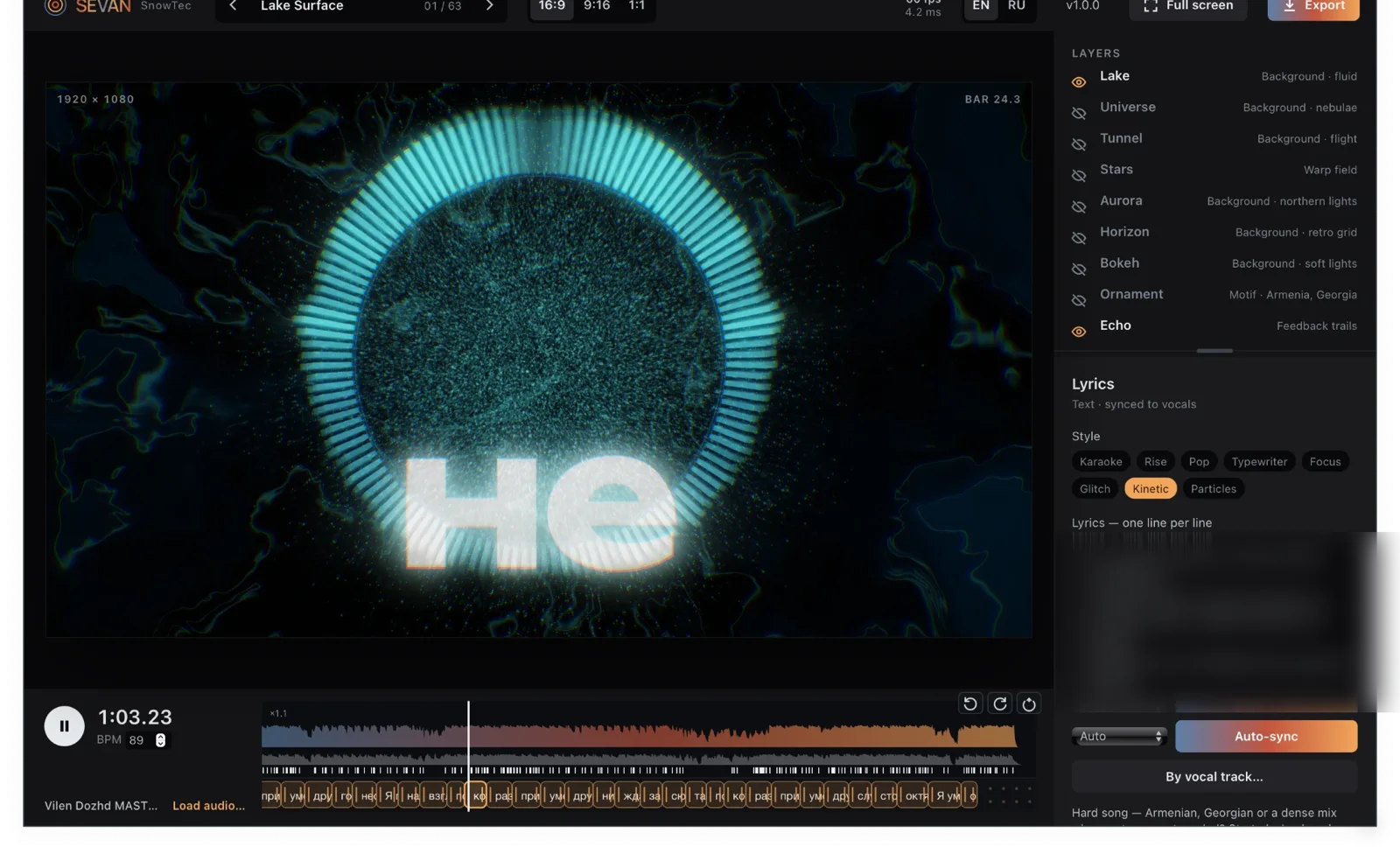
Слева — живой кадр, справа — слои и их параметры. Переключатель RU / EN, свои пресеты, двойной щелчок по ползунку возвращает его на место, горячая клавиша D — полный экран. Окно тянется за угол, и плагин масштабируется целиком.

On the left the live frame, on the right the layers and their parameters. An RU / EN switch, your own presets, a double-click resets a slider, the D key goes full screen. Drag the corner and the whole plug-in scales.

SEVAN interface: visual preview, layer panel and synchronized lyrics timeline
Окно плагина масштабируется до 2× без потери резкости; тот же интерфейс и в приложении.
The plug-in window scales up to 2× without losing sharpness; the same interface in the app.

Совместимость и ограничения

Compatibility and limitations

SEVAN превращает музыку в визуализацию внутри DAW или отдельного приложения и экспортирует видео MP4 со звуком.

SEVAN turns music into visuals inside a DAW or a standalone app and exports MP4 video with audio.

Текущая версияCurrent version: 1.2.1 · Что изменилосьRelease notes

СистемаSystemФорматыFormats
macOS 10.13+ · Intel / Apple SiliconVST3, Audio Unit (AU), AAX + standalone
Windows 10 / 11 · 64-bitVST3 + standalone

В бесплатном режиме экспорт ограничен 720p с водяным знаком. Лицензия убирает водяной знак и открывает экспорт до 4K.

Free mode exports video up to 720p with a watermark. A license removes the watermark and enables export up to 4K.

Скачать бесплатно

Download free

Пресеты, текст песни и работа в редакторе — без ограничений. Водяной знак SnowTec — на полноэкранном выводе и в экспортируемом видео (до 720p). Ключ снимает знак и открывает экспорт до 4K.

Presets, lyrics and editing — with no limits. A SnowTec watermark appears on the full-screen output and the exported video (up to 720p). A key removes it and unlocks export up to 4K.

macOS 10.13 и новее, Intel и Apple Silicon · Windows 10/11 64 бита · VST3, AU, AAX и приложение

macOS 10.13 and newer, Intel and Apple Silicon · Windows 10/11 64-bit · VST3, AU, AAX and the app

Обновляетесь? Закройте DAW перед установкой и поставьте новую версию поверх старой. Windows не заменяет файл плагина, который сейчас используется: установка пройдёт «успешно», а версия останется прежней. Ключ вводить заново не нужно.

Updating? Close your DAW before installing, then install over the old version. Windows will not replace a plug-in file that is in use: the installer reports success and you stay on the old version. You do not re-enter your key.

Купить лицензию

Buy a license

Ключ снимает водяной знак и открывает экспорт до 4K. Придёт на почту сразу после оплаты.

The key removes the watermark and unlocks export up to 4K. It arrives by e-mail instantly.

1794 ₽ 2990 ₽
$23.94 $39.90

Одна лицензия · две машины · навсегда

One license · two machines · lifetime

Оплатить
Pay with
🔒 Безопасная оплата через Робокассу · карты, СБП, кошельки
🔒 Secure payment via Robokassa · cards, SBP, e-wallets

SEVAN входит в комплект Ultimate — со скидкой, если берёте всю линейку сразу.

SEVAN is included in the Ultimate bundle — at a discount if you take the whole line at once.

История изменений

What changed

1.2.1

Исправлена ошибка, из-за которой в некоторых DAW пользовательские пресеты могли не сохраняться, а результат экспорта мог отличаться от того, что отображалось в окне плагина.

Fixed an issue in some DAWs where custom presets could fail to save and the exported video could differ from what was shown in the plug-in window.

1.2.0

Обложка теперь собирается в облако из точек: режим «Частицы» разбирает картинку на тысячи точек и вращает их в 3D (по X, Y, Z и само), точки дышат под звук, а фон можно вырезать автоматически, чтобы в точки собиралось только лицо или фигура. Для слоя обложки добавлен калейдоскоп (радиальный, зеркальная мозаика, сетка) с живым вращением-воронкой. По просьбам пользователей: видео масштабируется зумом и во весь кадр, у текста песни появилось смещение по горизонтали, у надписи добавлены выбор шрифта, позиция по осям и режим без смены по долям, обложку можно наложить поверх с прозрачностью и режимами смешивания. Появился второй слой надписи. Сильно расширена автоматизация в DAW: на ручки выведены реакция и калейдоскоп обложки, позиция надписи, масштаб «Объекта 3D», размеры всех слоёв и весь слой видео. Установщик для macOS теперь подписан Developer ID и заверен Apple, поэтому ставится без предупреждений и без правого клика.

The cover now collapses into a cloud of points: the new “Particles” mode breaks the image into thousands of dots and spins them in 3D (X, Y, Z and auto), the dots breathe to the sound, and the background can be cut out automatically so only the face or figure forms the points. A kaleidoscope was added to the cover layer (radial, mirror mosaic, grid) with a living vortex spin. By request: video scales with zoom and fills the frame, lyrics gained a horizontal offset, the title gained font choice, axis position and a no-per-beat-change mode, and the cover can be overlaid with transparency and blend modes. A second title layer was added. DAW automation is greatly expanded: cover reaction and kaleidoscope, title position, Object 3D scale, every layer’s size and the entire video layer are now automatable. The macOS installer is now signed with a Developer ID and notarized by Apple, so it installs with no warnings and no right-click.

1.1.0

Новый слой «Объект 3D»: 3D-фигуры (ДНК, пружина) и головы — женская, мужская, череп-дискошар, инопланетянин, кот, собака. Хром с отражениями, свой цвет (золото/медь/любой), поворот по X/Y/Z, авто-вращение; голова следит глазами за текстом песни. Обложка оживает: режимы «Жидкость», «Воронка», «Погружение» и ползунок интенсивности. Текст песни теперь виден поверх эффекта обложки. Появилось сохранение своих пресетов под именем — они добавляются в общую сетку. Исправлено назначение автоматизации параметров в DAW.

New “Object 3D” layer: 3D shapes (DNA, spring) and heads — female, male, disco-ball skull, alien, cat, dog. Chrome reflections, custom colour (gold/copper/any), X/Y/Z rotation, auto-spin; the head’s eyes follow the lyrics. The cover image comes alive: “Liquid”, “Swirl” and “Dive” modes with an intensity slider. Lyrics now show on top of the cover effect. You can save your own presets by name — they appear in the preset grid. Fixed parameter automation mapping in the DAW.

1.0.9

Исправлено: в стиле текста песни «Частицы» слово больше не залипало поверх вставленного видео. Исправлено: при включённой «Привязке к таймлайну» вставленное видео теперь встаёт на паузу вместе с треком. В русском интерфейсе кнопки шага по дорожке текста подписаны «Назад», «Вперёд», «Сброс».

Fixed: in the “Particles” lyrics style a word no longer stays burned over the inserted video. Fixed: with “Lock to timeline” on, the inserted video now pauses together with the track. Minor Russian-interface label fixes.

1.0.8

Добавлено создание нового проекта (меню «Файл» → «Новый проект») — чистый лист одним нажатием. При создании нового проекта или закрытии приложения с несохранёнными изменениями SEVAN теперь спрашивает, сохранить ли их.

Added creating a new project (File → New project) — a clean slate in one click. When you start a new project or quit the app with unsaved changes, SEVAN now asks whether to save them.

1.0.7

Экспорт MP4 починен на свежих версиях macOS, где рендер мог застревать на 0%. Исправлено смещение строк текста при ручной правке на таймлайне. Появилось сохранение и открытие проектов (меню «Файл») со списком недавних — можно вернуться к работе позже. На дорожке текста строку можно удалить клавишей Delete, а двойным щелчком по пустому месту — добавить новую.

Fixed MP4 export on recent macOS versions where rendering could get stuck at 0%. Fixed lyric lines drifting when edited by hand on the timeline. Added saving and opening projects (File menu) with a recent list, so you can return to your work later. On the lyrics track you can delete a line with Delete and double-click an empty spot to add one.

1.0.6

Исправлено: при выводе во весь экран пропадал слой видео — теперь видео остаётся на месте. Отдельное приложение при первом запуске открывается по размеру экрана, а кнопка версии и уведомление об обновлении больше не прячутся в узком окне.

Fixed: the video layer disappeared on the full-screen output — now it stays. The standalone app opens sized to the screen on first launch, and the version button and the update notice no longer hide in a narrow window.

1.0.5

Минорные улучшения и исправления интерфейса. Рекомендуем установить всем пользователям.

Minor interface improvements and fixes. Recommended for all users.

1.0.4

Свой видеофайл теперь можно добавить слоем: во весь кадр как фон или в рамке поверх сцены, с фильтрами и цветокоррекцией, ретро-эффектами (зерно, строки, аберрация), замедлением и перескоком кадров по битам. Текст песни и вся визуализация ложатся поверх видео, и видео попадает в экспорт MP4. Отдельное приложение получило новое безрамочное окно в стиле плагина — выбор аудиоустройства и ASIO переехал в «шестерёнку». У текста песни настраиваются цвет обычных слов и цвет спетого слова. Распознавание текста на ноутбуках с дискретной видеокартой теперь идёт на неё и работает быстрее; распознавание можно отменить.

You can now add your own video as a layer: full-frame as a background or framed over the scene, with filters and colour grading, retro effects (grain, scanlines, aberration), slow-motion and beat-synced frame jumps. Lyrics and the whole visualisation sit on top of the video, and the video is included in the MP4 export. The standalone app gets a new frameless window in the plugin's style — audio-device and ASIO selection moved into the gear. Lyrics now have adjustable colours for regular words and the currently-sung word. On laptops with a discrete GPU, lyrics recognition now uses it and runs faster, and it can be cancelled.

1.0.3

Поддержка ASIO в приложении на Windows: ниже задержка и прямой доступ к звуковой карте в отдельном приложении. В DAW звук по-прежнему идёт от хоста — там ASIO не нужен.

ASIO support in the Windows standalone app: lower latency and direct sound-card access in the standalone. In a DAW the host still provides the audio, so ASIO isn't needed there.

1.0.2

Важное обновление стабильности: повышена надёжность активации и связи с сервером лицензий. Рекомендуется к установке.

Important stability update: more reliable activation and license-server connection. Recommended for all users.

1.0.1

Подложка под текстом теперь включается по яркости фона: на тёмной сцене текст не затемняется зря, на яркой — остаётся читаемым. В пресете «Боке» крупные шарики больше не обрезаются квадратом. Надпись SnowTec в шапке стала кликабельной. Распознавание текста песни на Windows починено для имён пользователя с кириллицей.

The panel behind the lyrics now follows the scene brightness: on a dark scene the text is no longer needlessly dimmed, on a bright one it stays readable. In the Bokeh preset large orbs are no longer clipped into squares. The SnowTec wordmark in the header is now clickable. Lyrics recognition on Windows is fixed for Cyrillic user names.

1.0.0

Первый выпуск. Слои фона, спектра, 3D и частиц, оптика (свечение, боке, хроматизм), 62 пресета, орнаменты Армении и Грузии, текст песни с автосинхронизацией на 17 языках и в пяти письменностях, офлайн-экспорт MP4 со звуком до 4K (16:9, 9:16, 1:1), drag-and-drop трека, картинки, .txt и .lrc, полный экран по клавише D, RU/EN. VST3 и приложение для macOS и Windows, AU и AAX на macOS.

First release. Layers of background, spectrum, 3D and particles, optics (bloom, bokeh, chromatic aberration), 62 presets, Armenian and Georgian ornaments, lyrics with auto-sync in 17 languages and five scripts, offline MP4 export with audio up to 4K (16:9, 9:16, 1:1), drag-and-drop of a track, image, .txt and .lrc, full screen on the D key, RU/EN. VST3 and the app for macOS and Windows, AU and AAX on macOS.