SnowTec Olimp-005C
User Manual · version 1.0
Contents
1. What it is
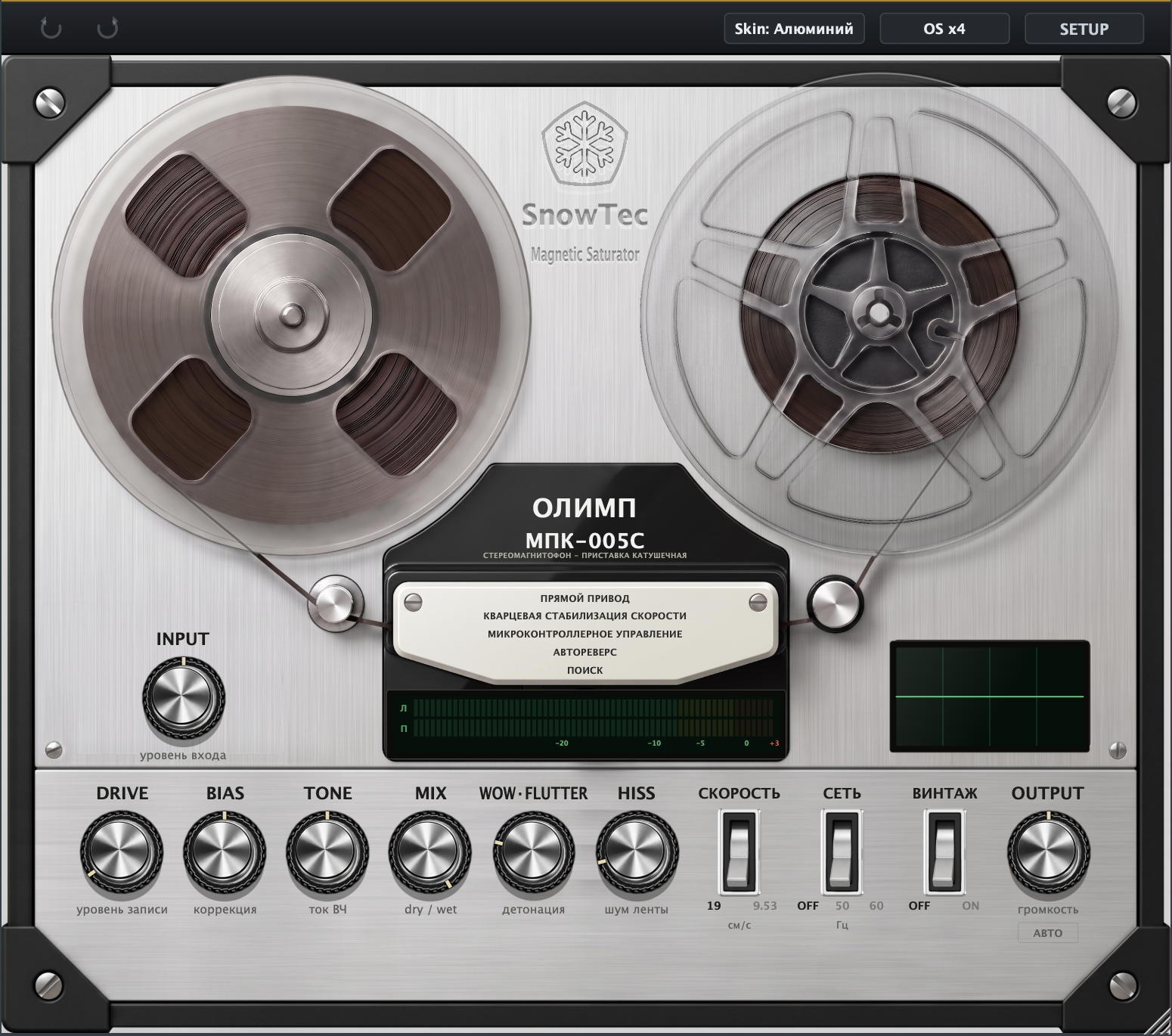
SnowTec Olimp-005C is an emulation of magnetic tape recording on the Soviet reel-to-reel deck Olimp MPK-005S. The plug-in runs your signal through a model of the full tape path: soft magnetic saturation, natural peak compression, the tonal colour of tape, wow & flutter, tape hiss and mains hum. The model is verified against the original service specifications (GOST 24868-81).
In short: the glue and warm density of a tape machine — from barely-there transient rounding to full-on tape lo-fi.
2. Installation
macOS (10.13+, Intel & Apple Silicon)
- Run the installer — it places all formats automatically. Manual paths:
- VST3:
/Library/Audio/Plug-Ins/VST3/SnowTec Olimp-005.vst3 - AU:
/Library/Audio/Plug-Ins/Components/SnowTec Olimp-005.component - Restart your DAW after installation (Logic may need an AU rescan:
reboot or
killall -9 AudioComponentRegistrar).
Windows (10/11, 64-bit)
- Run SnowTec Olimp-005 Setup.exe — the VST3 goes to
C:\Program Files\Common Files\VST3\. - Restart your DAW and rescan plug-ins if it doesn't show up on its own.
3. Trial and activation
After the first install the plug-in runs free for 7 days with no sound restrictions. The license status is always visible in the SETUP menu (top-right corner):

- Buy a key — SETUP → Buy license… (or on the website). The key arrives by e-mail right after payment.
- Open SETUP → Activate license…
- Paste the 24-character key into the field and press Activate. Done — the status changes to Licensed.
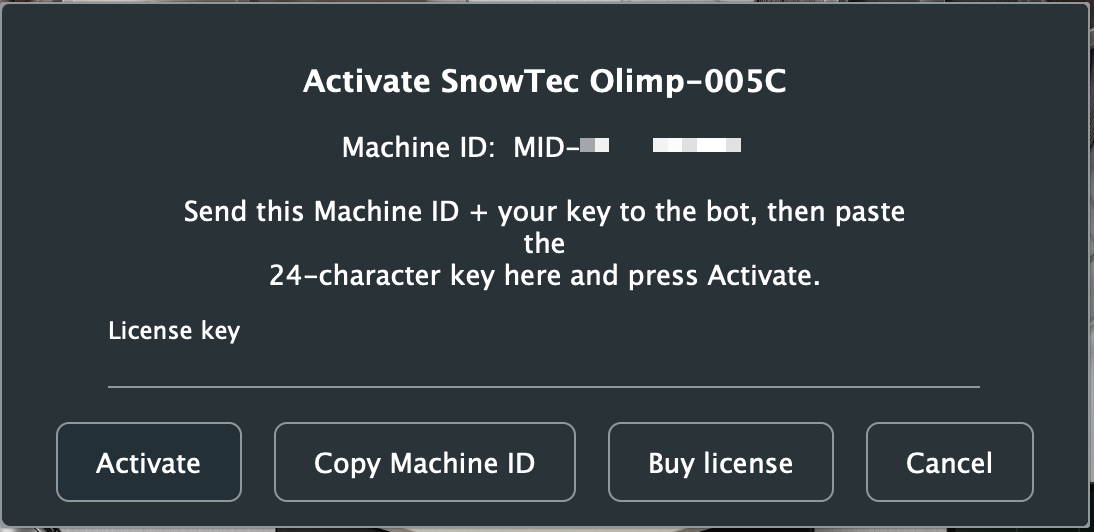
Activation needs the internet once; after that the license is stored locally
(~/Library/SnowTec/Olimp-005/license.json) and works offline.
4. Where to place it in your chain
Olimp-005C is a saturator — it works with the level and character of the signal. General rules:
- On a channel (vocals, bass, synth): after the EQ and compressor, as the final colouring stage. Tape gently squeezes the peaks and glues the sound.
- On a bus (drums, backing vocals): the classic spot. Put it first or as the only effect of the bus — group saturation is what "glue" means.
- On the master: first in the master chain, before EQ and the limiter. DRIVE minimal (1–3 dB), MIX 100%, VINTAGE off.
- In parallel (New York style): on a send, or via MIX at 30–50% — saturation is added to the clean signal without eating the transients.
5. Input level (gain staging)
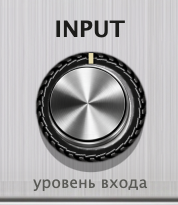
The tape model is level-sensitive: a quiet signal barely gets coloured, a hot one gets crushed. The INPUT knob (left panel) is a clean trim before the whole path:
- Feed the signal and watch the meter: the working zone is around −10…−5, peaks up to 0.
- If the meter lives in the red (+3) — pull INPUT down; if it barely moves — bring it up.
- From there, dial the character with DRIVE, not with the input.
Double-click any knob to reset it to its default.
6. Knobs and switches
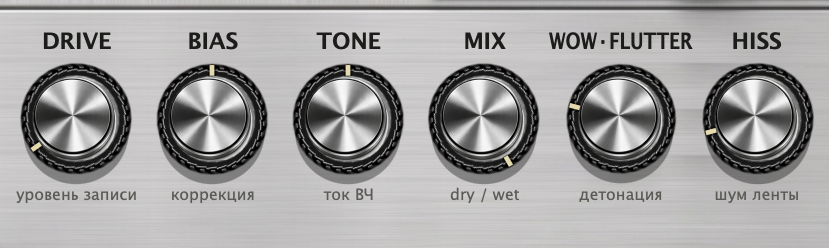
| Knob | Range | What it does |
|---|---|---|
| DRIVE record level | 0…+24 dB | The main knob. How "hot" the signal is printed to tape: more — denser saturation, softer peaks, thicker harmonics. From transparent glue (1–3 dB) to obvious overdrive (15+ dB). |
| BIAS bias trim | −1…+1 | Bias current. Negative — "under-biased" tape: a loose, gritty edge and more distortion; positive — smoother and darker, the top end rounds off. 0 — factory calibration. |
| TONE HF current | −6…+6 dB | Tilt of the tape path's top end: darker or brighter. Works inside the model — not a plain EQ shelf — so the character of high-end saturation changes too. |
| MIX dry / wet | 0…100% | Parallel blend of the clean and "tape" signal. 100% — everything through the tape; 30–50% — saturation as a seasoning while keeping the transients. |
| WOW·FLUTTER speed instability | 0…100% | Tape speed drift: slow (wow) and fast (flutter). A little — a living analog motion; a lot — audible pitch wobble, lo-fi. |
| HISS tape noise | 0…100% | The tape's own noise floor. For atmosphere and lo-fi; usually 0 on the master. |
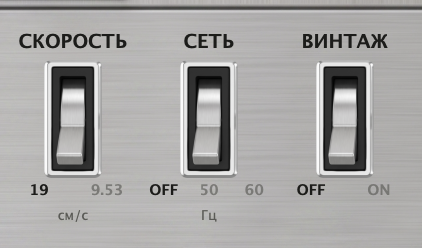
| Switch | Positions | What it does |
|---|---|---|
| СКОРОСТЬ (speed) | 19 / 9.53 cm/s | Tape speed. 19 — studio quality: 31.5–22000 Hz bandwidth, minimal distortion. 9.53 — consumer recording: bandwidth up to 16 kHz, more distortion and flutter — an honest vintage character. |
| СЕТЬ (mains) | OFF / 50 / 60 Hz | Mains hum picked up by the path. 50 Hz — the Soviet wall socket, 60 Hz — the American one. A quiet spice for authenticity; off by default. |
| ВИНТАЖ (vintage) | OFF / ON | The machine's condition: ON — aged heads and worn tape (narrower bandwidth, more unevenness and character). OFF — the deck fresh out of the box. |
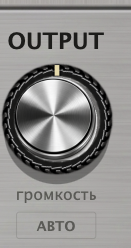
OUTPUT — output level after the whole path. Below it — the АВТО (auto) chip: switch it on and the output is automatically attenuated by exactly as much as DRIVE raises the loudness. Turn DRIVE — the tone changes, the loudness stays put. That way you hear what the saturation actually does, without the "louder = better" trick, and A/B comparison gets easy. With АВТО on, OUTPUT remains a manual trim on top of the compensation.
7. Metering

- The meter (Л/П = L/R) shows peak level after the whole path — use it to set INPUT.
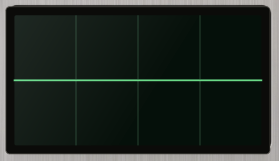
- The oscilloscope on the right draws the output waveform — you can see the tape rounding the peaks as DRIVE goes up.
- The reels spin while the DAW transport is playing. Pure indication — no effect on the sound.
8. Toolbar: OS, skins, undo

- ⟲ / ⟳ — undo and redo of knob changes (parameter history).
- Skin — two faceplates: classic aluminum and dark metal. Pure cosmetics, no effect on the sound.
- OS — oversampling: Off / x2 / x4 (default Off). Saturation creates harmonics; oversampling removes their digital reflections (aliasing). x4 — the cleanest top end, Off — minimal CPU load. Latency is compensated by the DAW automatically.
- License status — left of Skin: a coloured dot and text. Amber "Trial – N days left" means the trial is running, green "Licensed" means the key is active, red means the trial expired or the key is blocked.
- SETUP — license and update check (see section 3). When a new version is out, a green Update available badge appears in the middle of the toolbar — click it to open the download page.
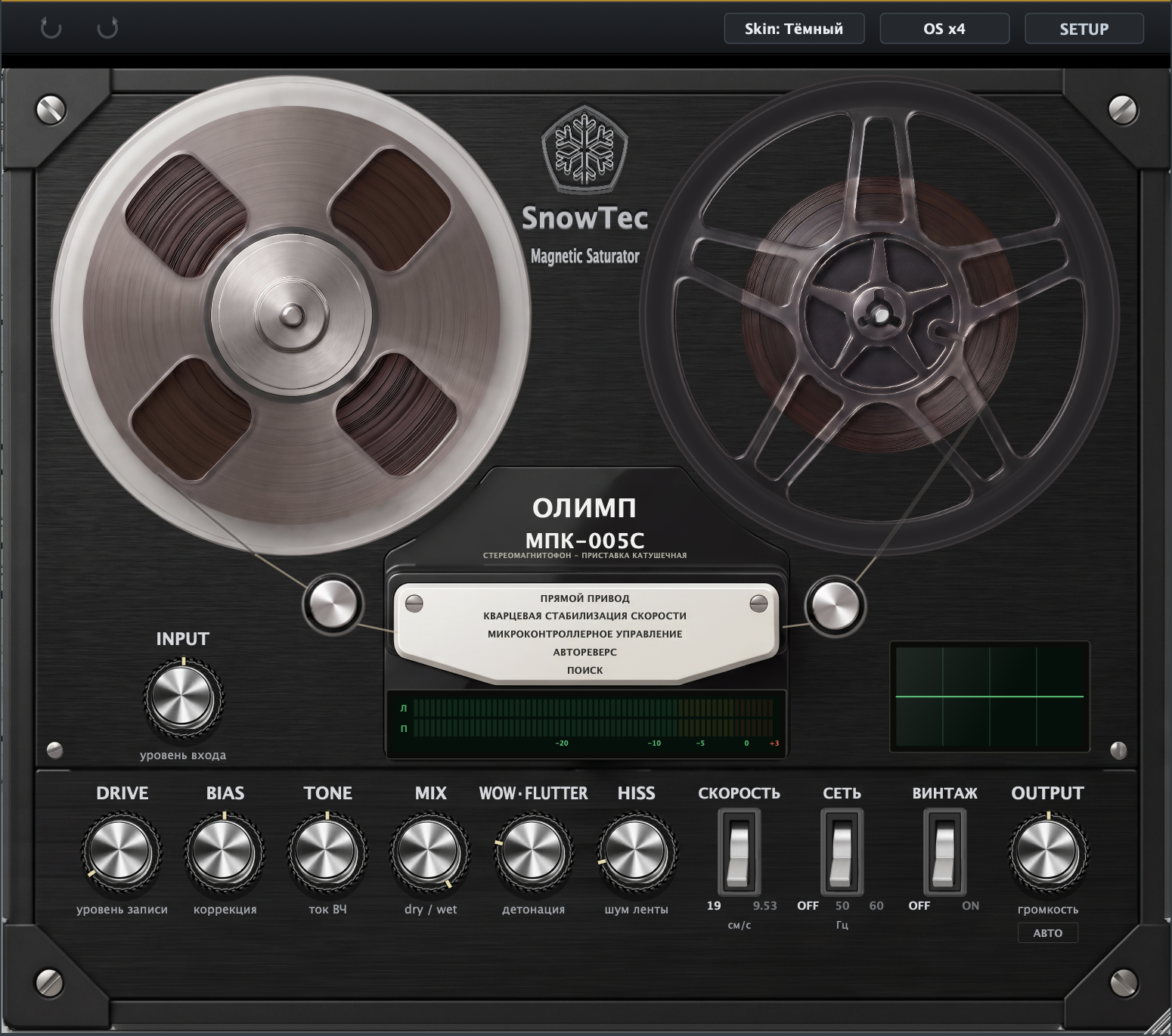
Window size
Drag the bottom-right corner to resize; the proportions are kept. From version 1.0.8 the size is remembered: stretch it once and that is how the plug-in opens from then on, including after closing and reloading the project. Before, it returned to the original size every time.
9. Setting recipes
| Task | Settings |
|---|---|
| Master glue | INPUT by the meter, DRIVE 1–3 dB, BIAS 0, TONE 0, MIX 100%, SPEED 19, WOW 0–10%, HISS 0, VINTAGE OFF, АВТО ON, OS x4. |
| Drum bus | DRIVE 4–8 dB, BIAS −0.2 (gritty edge), MIX 60–100%, SPEED 19, WOW 10–20%. Peaks round off, the bus comes together. |
| Solid bass | DRIVE 6–10 dB, BIAS +0.2 (smoother), TONE −1…−2, MIX 100%. Bass gets more even and reads on small speakers. |
| Vocals "to tape" | DRIVE 4–6 dB, TONE −1, WOW 15–25%, HISS 5–10%, SPEED 19, VINTAGE to taste. After the compressor. |
| Lo-fi / demo cassette | SPEED 9.53, VINTAGE ON, DRIVE 10–16 dB, WOW 40–70%, HISS 20–40%, MAINS 50 Hz, TONE −2…−4. A proper time machine. |
| Parallel saturation | DRIVE 12–18 dB, MIX 25–40%. Dirt blends under the clean signal, transients stay. |
10. FAQ
The sound keeps dropping out
The 7-day trial has expired. Open SETUP — if the status says "Trial expired", activate your key (section 3).
The plug-in doesn't show up in my DAW
Rescan plug-ins in your DAW settings and check the format was installed to the right folder (section 2). In Logic look for it as an AU in the SnowTec category.
I want to move the license to a new computer
One key — one machine. Contact support with your key and the new Machine ID (shown in the activation window) — we'll transfer it.
How heavy is it on the CPU?
The main cost is oversampling. In heavy projects use OS x2 on channels and x4 on the master. When the transport is stopped, the reels and metering go to sleep.
Does АВТО change the sound?
No — it is a clean output gain compensating the loudness added by DRIVE. The waveform and saturation stay the same.
Where is the license stored?
macOS: ~/Library/SnowTec/Olimp-005/license.json.
Back it up with your system; no re-activation needed.