SnowTec Chaika
User manual · version 1.0.8
Contents
1. What it is
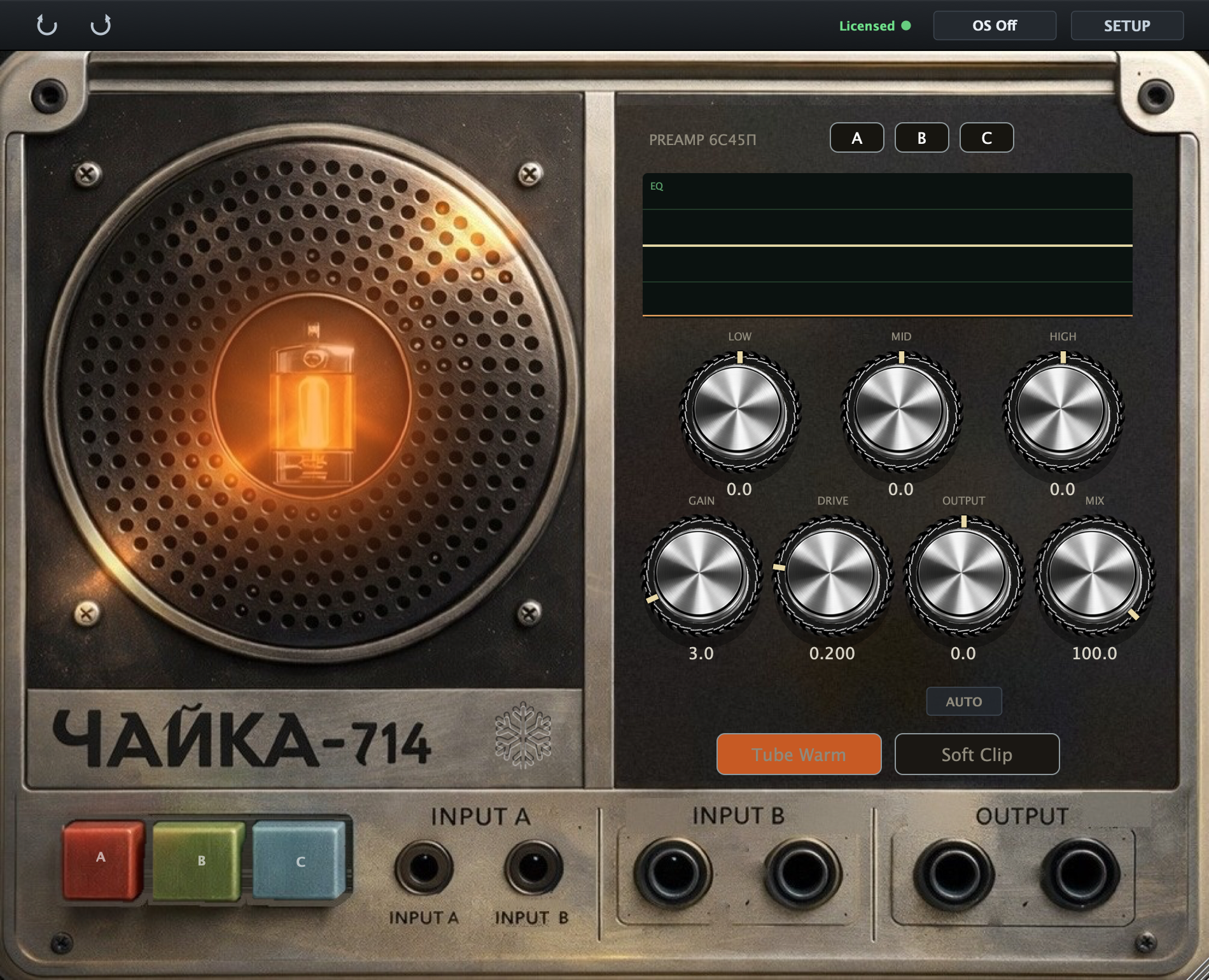
SnowTec Chaika is a tube preamplifier built on the Soviet 6С45П triode. It gives you what a tube on the way in is for: even harmonics, softly rounded peaks, and a density plain gain cannot produce. Next to the preamp sit a three-band EQ and a parallel blend, so the whole treatment fits one slot instead of three.
In short: from barely audible warmth on a vocal to openly driven tube grit on a guitar.
2. Installation
macOS (11+, Intel and Apple Silicon)
- Open the
.dmgand run the .pkg — both formats install themselves. Manual paths: - VST3:
/Library/Audio/Plug-Ins/VST3/Chaika.vst3 - AU:
/Library/Audio/Plug-Ins/Components/Chaika.component - The installer is not Developer ID signed, so the first time open it with right-click → Open.
- Restart your DAW afterwards. Logic sometimes needs an AU rescan: reboot or
killall -9 AudioComponentRegistrar.
Windows (10/11, 64-bit)
- Unpack the archive and run SnowTec Chaika Setup.exe — the VST3 goes to
C:\Program Files\Common Files\VST3\. - Close your DAW before installing. Windows will not replace a plug-in file that is in use: the installer reports success and you stay on the old version.
Updating. Install the new version over the old one; nothing needs removing. Project settings, your licence and the presets all survive — you do not re-enter the key.
3. Trial and activation
Without a key the plug-in runs fully for 7 days — nothing is muted or crippled. The countdown lives on our server rather than in a file on disk, so reinstalling does not extend it and deleting anything achieves nothing.
One consequence: the plug-in needs internet access at least occasionally. With no network the trial gives two days instead of seven — otherwise cutting it off from the network would make the trial last forever. The server's confirmation stays valid longer than the trial itself, so in ordinary use you will never meet this limit.
A purchased key goes into SETUP → Activate license… — the 24 characters from your e-mail. One licence, one machine, forever, no subscription. After activation the plug-in works offline; it contacts the server only occasionally, to check the key has not been revoked.
When the trial ends the audio starts dropping out in short gaps and the panel dims. That is not a fault — that is what an expired trial looks like.
4. Where it belongs in the chain
Chaika is an input device. Its place is at the head of the channel: before the compressor and before the EQ that fixes recording problems. That way the tube sees the signal as it arrived, and everything after works on already coloured material.
- Vocals, speech: first, or right after cleanup (de-esser, noise gate).
- Bass, guitar: first — often in place of a DI preamp.
- Drums: on individual kick and snare channels; on the drum bus be careful — the tube glues, but it also eats attack.
- Master bus: DRIVE no higher than 0.2–0.3 and MIX around 30–50 %.
If our Olimp-005C or E-302 is in the same chain, the order is Chaika → tape. Tube colour first, magnetic second — the way it was on the real signal path.
5. Input level
A tube responds to level. This is not cosmetic: how hot you feed it decides the entire character.
- Aim for about −18 dBFS average at the input.
- Quieter — the tube barely works and you only hear the EQ.
- Hotter — more harmonics, but the peaks get squashed harder.
The GAIN knob is that level: it raises the signal before the tube. Judge it at matched loudness, or louder will always seem better — which is exactly what the AUTO switch is for.
6. The knobs
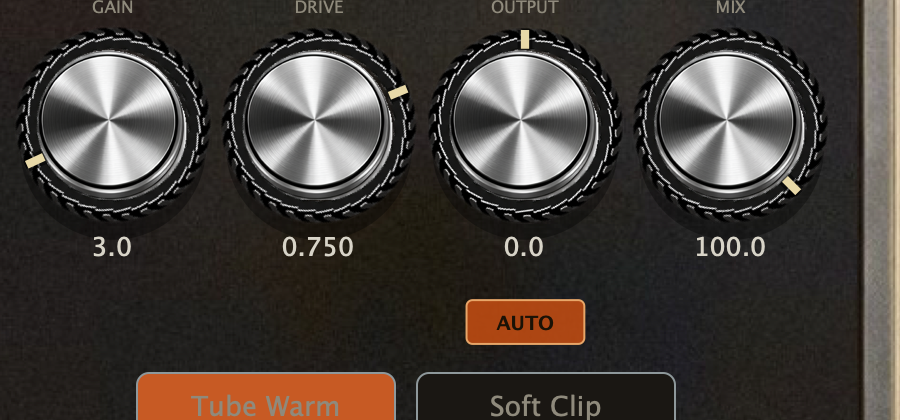
| Knob | Range | What it does |
|---|---|---|
| GAIN | 0…+40 dB | Level into the tube. The main character control: the hotter it is, the more harmonics and the stronger the peak compression. |
| DRIVE | 0…1 | How far the tube is pushed into non-linearity. In Tube Warm it is colour; in Soft Clip it is also level (see section 7). |
| OUTPUT | −18…+18 dB | Output level, after everything. This is where you match loudness against bypass. |
| MIX | 0…100 % | Parallel blend: 100 % is the processed signal only, 50 % is half and half with the dry one. The dry copy is delayed by exactly the plug-in latency, so no phase cancellation occurs. |
7. Modes and AUTO
Tube Warm
A soft asymmetric curve with added second harmonic — what is heard as "warmth". Peaks round off gradually, with no hard edge. This is the default and suits almost everything.
Soft Clip
A harder limit with asymmetric half-waves. Gives noticeable character on guitar and on drums, where you want grit rather than delicacy.
A property of this mode. In Soft Clip the DRIVE knob sets not only character but level: at zero the signal all but disappears, at maximum it adds about +7 dB. The working range starts around 0.2 — where the knob sits by default. This is how the mode is built, not a fault.
AUTO
The switch under OUTPUT. With AUTO on, the plug-in subtracts from the output exactly the loudness DRIVE adds — so the knob changes colour only and leaves the level alone. That removes the main trap of tuning by ear: louder always seems better, even when it is not.
The amount is not eyeballed but measured on the signal path itself: pink noise at −18 dBFS, every other control at default. From zero to maximum, DRIVE adds 4.7 dB, and that is exactly what AUTO takes back — to within hundredths of a decibel.
AUTO works in Tube Warm. In Soft Clip it is dimmed and does not respond: there, as noted above, DRIVE governs level by its very nature, and there is nothing to compensate.
AUTO is off by default, so that updating does not change the loudness of mixes you have already finished.
8. The EQ
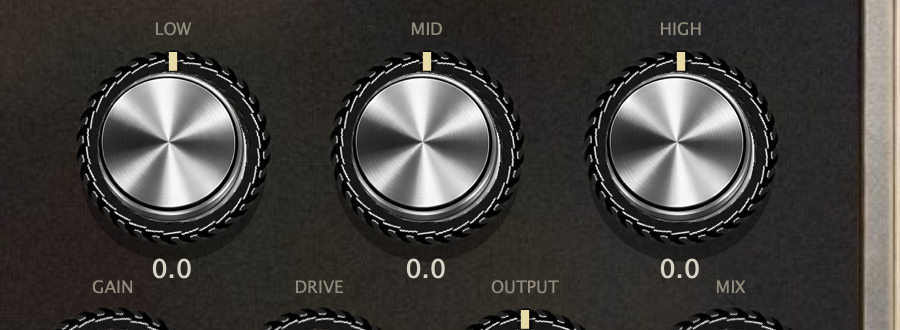
Three bands, ±18 dB each. The EQ sits after the tube, so it shapes already coloured signal.
| Band | Type | Frequency |
|---|---|---|
| LOW | shelf | 120 Hz |
| MID | bell | 1 kHz |
| HIGH | shelf | 8 kHz |
Above the knobs is a spectrum analyser. Its speed is set in SETUP → Analyzer speed: Slow, Medium, Fast. Slow is easier for judging balance, fast catches individual transients.
9. Toolbar, presets, the tube

- Arrows on the left — undo and redo. They work inside the plug-in and do not touch your DAW history.
- OS — oversampling: Off, x2, x4. The higher it is, the less distortion the non-linearity folds back into the top end, and the more CPU it costs. x2 is usually enough while mixing; x4 makes sense on the master.
- SETUP — licence activation, purchase, analyser speed, update check.
- Status — Licensed, Trial with the days remaining, or an expiry warning.
Presets A / B / C
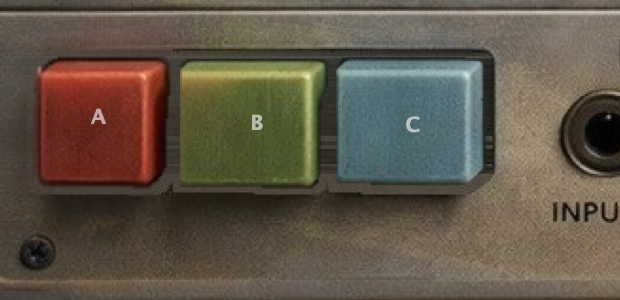
Three factory starting points: A — vocal, B — guitar, C — bass. Pressing one sets every knob at once. Pressing the active key again releases it and returns the plain default setting.
The tube
Clicking the tube itself switches the path on and off (the Power parameter). A tube that is off goes dark and the plug-in passes signal through untouched — a quick way to compare before and after without removing it from the slot.
10. Starting points and FAQ
Where to start
| Source | GAIN | DRIVE | MIX | Mode |
|---|---|---|---|---|
| Vocal, warmth | 20–24 | 0.2–0.3 | 100 % | Tube Warm |
| Bass, density | 16–20 | 0.3–0.4 | 70 % | Tube Warm |
| Guitar, character | 8–12 | 0.6–0.8 | 85 % | Soft Clip |
| Master, a touch | 3–6 | 0.15–0.25 | 30–50 % | Tube Warm |
Frequently asked
My key disappeared after an update. It should not: the licence lives in
~/Library/Application Support/SnowTec/Chaika (macOS) and
%APPDATA%\SnowTec\Chaika (Windows), and the installer does not touch
those folders. If you are still asked for the key, write to us — we will sort it
out and reissue if needed.
The plug-in did not appear in my DAW. Restart it and rescan. On Windows, check the DAW was closed during installation.
It got louder — does that mean better? Not necessarily. Turn AUTO on, or match the level with OUTPUT, and compare again.
Can I install it on two machines? One licence, one machine. If the machine changed (system reinstall, new hardware) — write to us and we will release the old one.