SnowTec ARARAT 2A
User manual · version 1.0.0
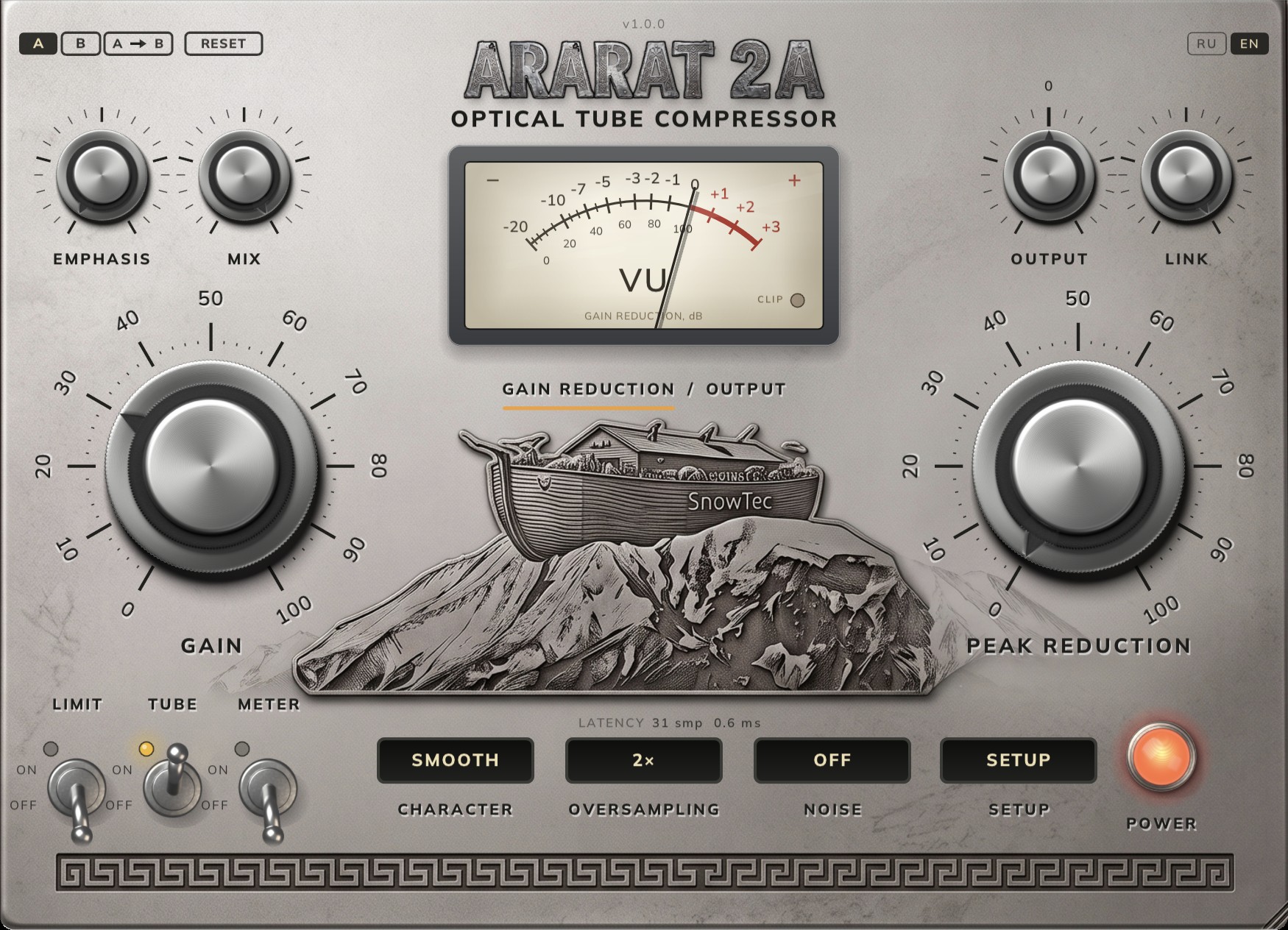
Contents
1. What this is
ARARAT 2A is an optical compressor with a valve stage. The side-chain lights a lamp, the lamp shines on a photoresistor, the photoresistor pulls the level down. That pair has a memory: the longer and harder it has been lit, the slower it lets go. This is why one setting behaves differently on a verse and on a chorus, and why a machine with two big dials needs no more of them.
It was built from measurements rather than from descriptions. An offline host drives this plug-in and three bought emulations through the same tones and bisects each one’s own dial until all four compress by exactly the same amount. Matching dial positions would prove nothing — they do not mean the same thing. Matching the reduction does.
The sound in one paragraph. The detector is deaf to bass on purpose: at one setting a 60 Hz tone is held down by 3.4 dB where a kilohertz gets 6.0. Bass does not pump the whole mix. The valve stage makes a series that reaches the seventh harmonic rather than a lone second — the ear reads character from the series.
2. Installing
macOS (10.13+, Intel and Apple Silicon)
- Quit your DAW — macOS will not replace a plug-in file that is in use.
- Open
SnowTec ARARAT 2A 1.0.0.dmgand run the.pkg. The VST3 and the Audio Unit go into the system folders:/Library/Audio/Plug-Ins/VST3and/Library/Audio/Plug-Ins/Components. - If the system mentions an unidentified developer — right-click the file → Open → Open. The installer is not signed with an Apple certificate.
- Removal:
Uninstall ARARAT 2A.commandon the same image.
Windows (10+, 64-bit)
- Quit your DAW and run
SnowTec ARARAT 2A 1.0.0 Setup.exe. - The VST3 goes into
C:\Program Files\Common Files\VST3. - The plug-in is built with the static runtime, so no Visual C++ Redistributable is needed.
Restart your DAW afterwards so that it rescans.
3. Trial and activation
For the first 7 days the plug-in runs in full and without a key. What is left of them is written in the top right corner of the panel: TRIAL, DAYS: 7. Once a licence is bought the badge is not drawn at all — a panel is a product, not a licence dashboard.
To activate: SETUP → ACTIVATE. A field opens below the relief; paste the key and press Return. The key arrives by e-mail right after payment. One key, one machine, for good.
The trial is counted by the server rather than by files on disk, so the first start needs the internet. Until the server has answered once the corner says NEEDS INTERNET and the trial has not started — that is not a fault and not an accusation, it is the only honest way to count seven days. After the first answer the plug-in runs offline.
When the trial has ended, or a key has been revoked, the sound is muted and a short burst of noise passes every twenty seconds — so that it is audible that this is the licence and not a fault.
4. Where to put it
- Vocals — what this kind of machine exists for. It levels the delivery without cutting the consonants off.
- Bass — holds the notes at one level; the detector’s deafness to the bottom is exactly what keeps the machine from choking on its own bass.
- Group bus and master — small amounts, 2–3 dB of reduction. The machine is slow, and on a master it works as glue rather than as a limiter.
- Drums — in FAST only: the other characters attack too gently to catch a kick.
- Order. An equaliser before the plug-in changes what the detector reacts to; after it, it corrects what the plug-in has done. Cut mud before, add colour after.
5. The two big dials
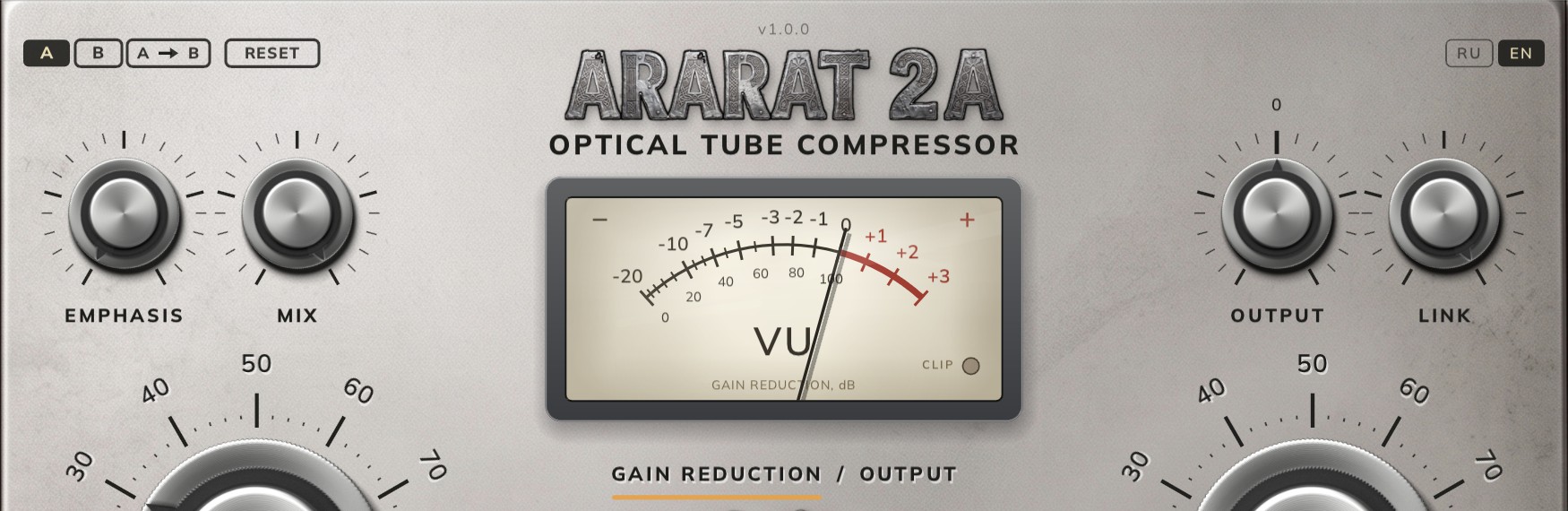
PEAK REDUCTION (right) is the only control that drives the compression. The scale is 0–100 as on the hardware; there is no separate threshold and no separate ratio — both move on their own with the depth. At zero the machine does not compress at all.
GAIN (left) is not make-up after the compression but an attenuator feeding a fixed amplifier, exactly as on the hardware. Three consequences surprise people the first time:
- 0 is silence, not «no change».
- Unity sits at 25. Everything above is make-up, up to +40 dB at a hundred.
- The taper is audio, not linear: fewer decibels fit between 25 and 50 than between 75 and 100.
A fresh instance opens with gain at 30 and peak reduction at 0: a shade above unity, the way hardware is habitually left, and no compression until you ask for it.
Handling. Drag up and down; hold Shift for a fine step; the mouse wheel works on the same dial; a double click puts it back to its default. The number appears under the meter while you edit.
6. Character
The CHARACTER button cycles three sets of cell constants. These are not loudness presets but different physics — attack time, both halves of the release, the depth of saturation and the machine’s own noise floor.
| Character | Attack | Release to 63 % | Harmonics | Own noise |
|---|---|---|---|---|
| SMOOTH | 13 ms | 144 ms | 0.20 % | −96 dBFS |
| FAST | 3 ms | 83 ms | about 0.2 % | −90 dBFS |
| VINTAGE | 19 ms | 146 ms | 0.45 % | −78 dBFS |
SMOOTH is the leveller: vocals, bass, buses. FAST keeps up with drums and plucked strings. VINTAGE is slower and dirtier than the others, and its detector hears up to 12 kHz rather than 30 — it reacts more gently to sibilance.
The numbers are bench readings, not brochure promises: 180 checks run on every build, and a build that fails one is not shipped.
7. Emphasis, mix, output, link
| Control | Range | What it does |
|---|---|---|
| EMPHASIS | 0–100, default 0 | A shelf in the side-chain. At zero the detector hears the bottom the way the machine intends. Clockwise takes more bottom out of the detector, so bass stops driving the whole compression. It does not touch the audio: only what the machine reacts to changes. |
| MIX | 0–100 %, default 100 | Blends the dry signal back. The oversampling filters are linear phase and the dry path is delayed by the same amount, so at mix 0 the output nulls against bypass. |
| OUTPUT | ±24 dB, default 0 | A plain output trim after everything. It is there so that processed and unprocessed can be compared at one loudness. |
| LINK | 0–100 %, default 100 | How much the channels share one control signal. At 100 the stereo image stays put and a loud guitar on the right pulls the left channel down too. At 0 they are two independent machines: wider, but the image wanders. |
8. Toggles: limit, tube, meter

- LIMIT switches the curve from compression to limiting: a steeper slope above the knee and a tighter knee. Past 60 on peak reduction the machine stops levelling and starts holding a ceiling.
- TUBE is the valve stage. Off leaves clean dynamics with no harmonics. The switch is a 30 ms crossfade rather than a jump, so it does not click, and the latency does not change with it.
- METER chooses what the needle shows: gain reduction or output. Clicking the meter itself, or the line under it, does the same.
9. The meter and the clip lamp
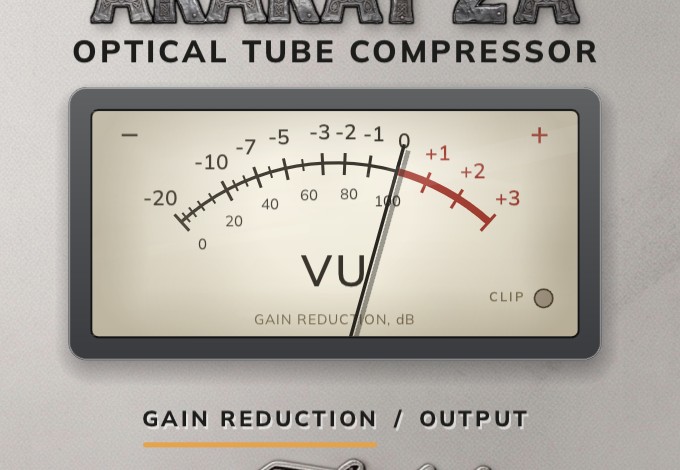
The needle is a real VU by its ballistics: 300 ms to one per cent, which is a 65 ms time constant. It is slow on purpose and does not show peaks.
- GAIN REDUCTION — the needle swings left of zero and the scale reads as decibels of reduction.
- OUTPUT — the level after everything, 0 VU = −18 dBFS.
- CLIP — the lamp on the meter glass. One clipped sample lights it and it stays lit for two thirds of a second, or nobody would see it.
10. Oversampling, noise, latency
- OVERSAMPLING — 2× or 4× around the valve stage. There is nothing below two: at the plain rate the valve’s harmonics fold back into the audible band. 4× is worth having on bright material and at deep reduction.
- NOISE — the machine’s own noise floor, one per character (−96, −90 and −78 dBFS). Off by default.
- LATENCY — the line above the buttons, an honest number: 31 samples at 2× and 38 at 4× (0.6 and 0.8 ms at 48 kHz). It is the same with the valve on and off, and the host compensates it.
11. A/B, reset, language, power
- A and B are two settings held side by side. The live dials are the active slot; the other one waits. Neither is a parameter, so the host automates the sound, not the comparison.
- A → B copies the active slot over the other one, so a change can start from where you are rather than from nothing.
- RESET puts the defaults back. Only into the active slot: the other one is the way back.
- RU / EN in the top right corner switches the whole panel. The choice is saved with the project.
- POWER — the red lamp at the bottom right. Unlit means bypass, and it is bit-exact: the signal passes untouched, with the same latency.
12. SETUP
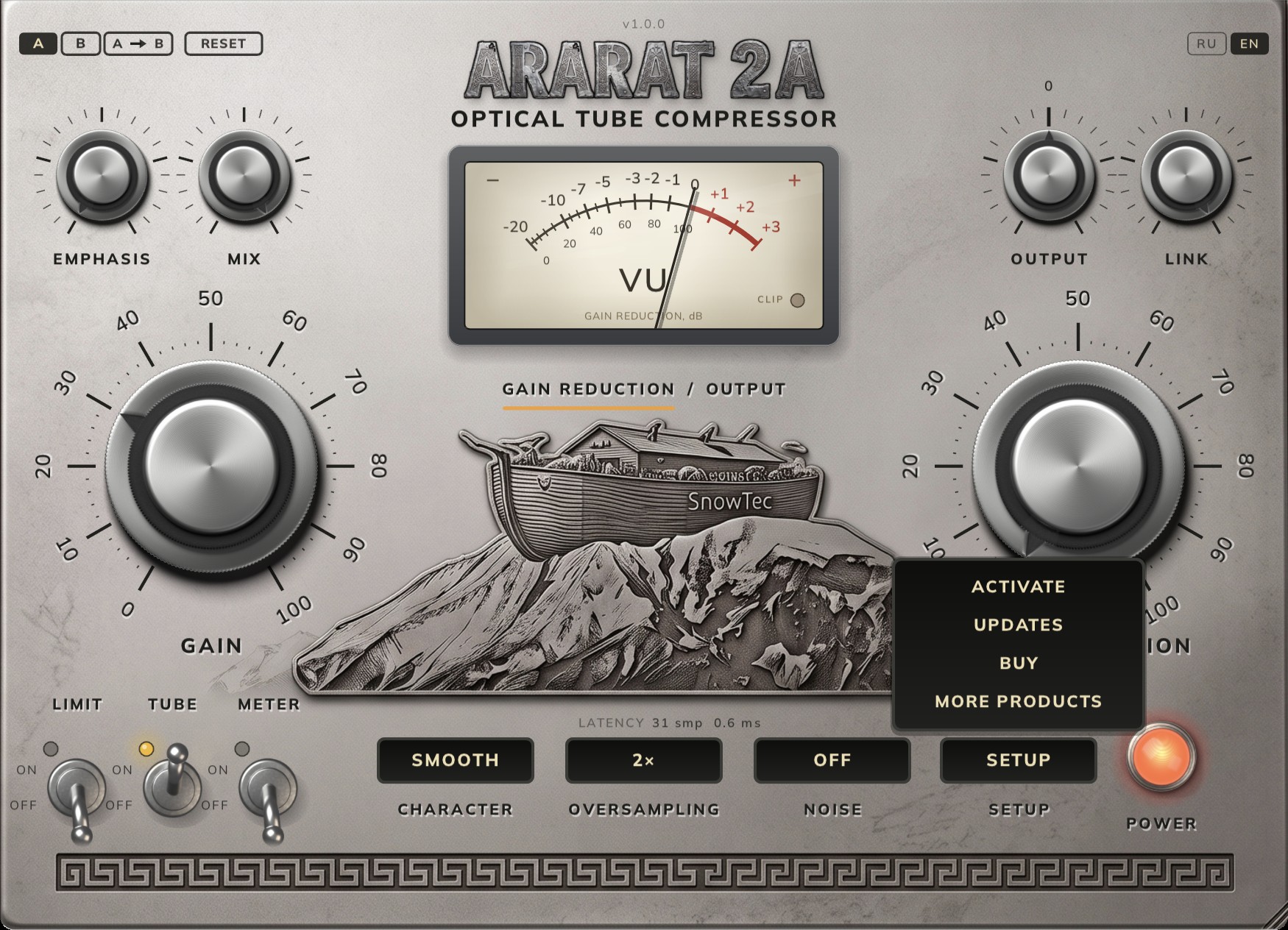
- ACTIVATE — the key field below the relief. Return sends it, and the answer appears on the line above. Esc, or a click outside, closes it.
- UPDATES — the plug-in reads the version feed on the site and says whether yours is the latest. If a newer one is out, the product page opens.
- BUY — the ARARAT 2A page in your browser.
- MORE PRODUCTS — the rest of the SnowTec line.
13. Setting recipes
Vocals: hold the delivery
SMOOTH, limit off, peak reduction set so the needle swings 3–6 dB on the loud words and returns to zero in the gaps. Emphasis at 0. Set gain so the average loudness matches the original, and compare against bypass.
Bass: even notes
SMOOTH, 4–8 dB of reduction. If the machine starts breathing along with the kick, take emphasis to 30–50 and the detector will stop treating the bottom as the main event. Mix at 100.
Drum bus: density without losing the hit
FAST, 3–5 dB of reduction, mix 60–80 — parallel compression keeps the transient. Oversampling 4× if the cymbals are bright.
Master: glue
SMOOTH, peak reduction set so the needle barely touches 2 dB. Tube on, noise off. Output at zero, and always compare at matched loudness.
Old paint, on purpose
VINTAGE, noise on, 6–10 dB of reduction, mix 100. Twice the harmonics of SMOOTH and a detector duller at the top: the material sounds recorded rather than mixed.
14. FAQ
Why is there no sound with gain at zero?
That is how the original works: gain is an attenuator into the amplifier, not make-up after it. Unity sits at 25.
The plug-in is not in the list
Restart the DAW: scanning happens at start-up. In Live it is the Rescan button in Plug-Ins preferences. In Logic the plug-in is under SnowTec.
The corner says NEEDS INTERNET
The server has not answered yet, so the trial has not started. Turn the network on and the plug-in will ask again by itself, without a restart. After that the internet is not needed.
I want to move the licence to another computer
One key, one machine. Write to support with the key and we will move it.
How heavy is it on the CPU?
Most of the cost is the oversampling around the valve. 2× instead of 4× saves a noticeable amount; switching the valve off saves more and does not change the latency.
Does mix at 0 give exactly the input?
Yes. The filters are linear phase and the dry path carries the same delay, so it nulls against bypass.
Where is the licence kept?
macOS: ~/Library/SnowTec/Ararat. The folder can be backed up
with the system — no second activation is needed.